 Tapescript
A lecture recorder that writes the notes
Put your iPhone on the desk, tap record and listen. When the lecture ends, Tapescript gives you every word it heard, a summary, the key points and what you have to do before next class.
Free to start. Needs iOS 18 or later.
Tapescript is made for iPhone only (iOS 18 or later). Open this page on your iPhone to get it.
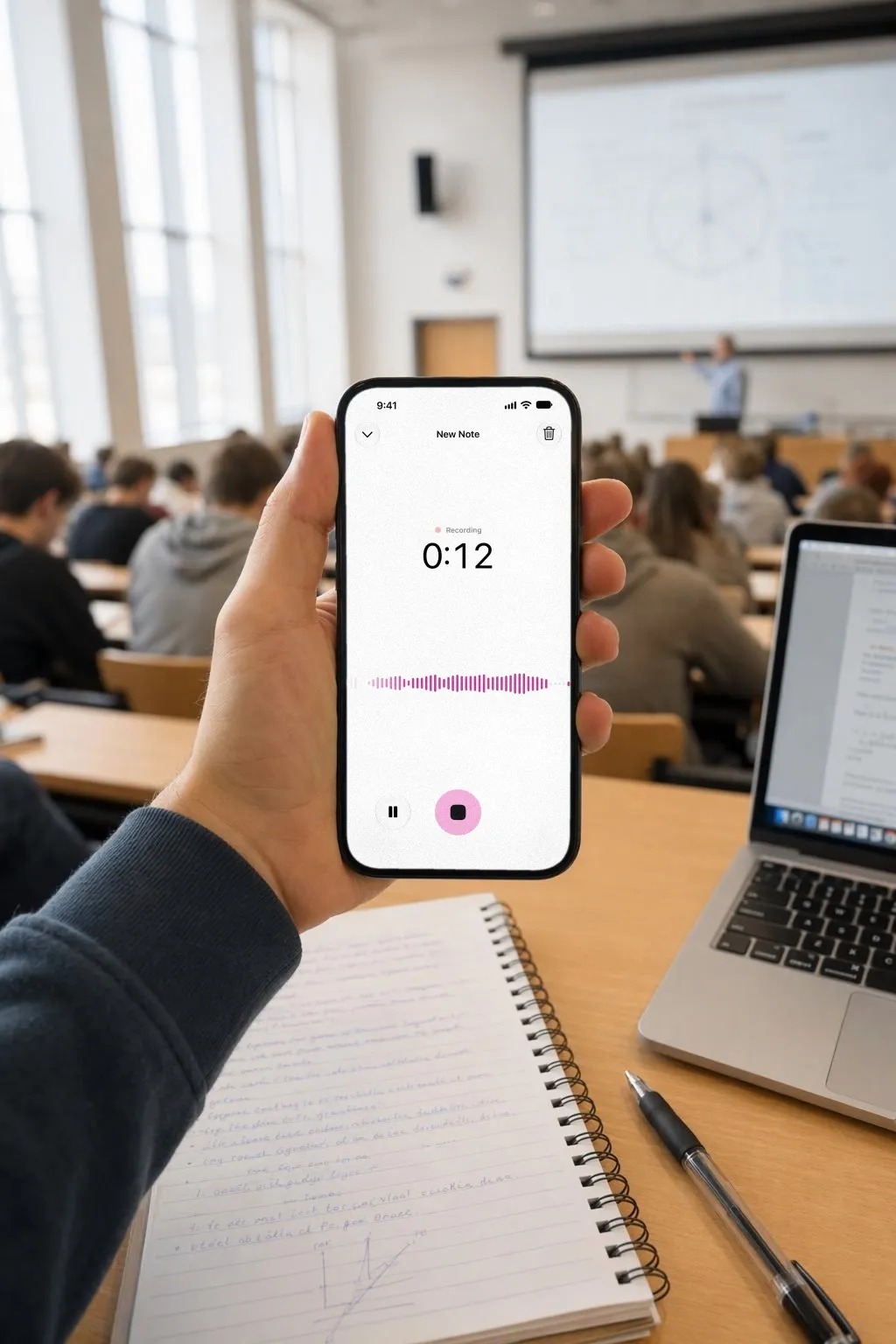
What a 52-minute lecture turns into
Here’s an example from a first-year biology class: Professor Lin on how cells make energy. The summary says what the hour was about in two sentences, and the key points are the ones you’d highlight in the textbook.
Underneath sit the action items said out loud and never written down: read chapter 7 before Thursday, review the ATP table for the midterm, email about the lab makeup session.
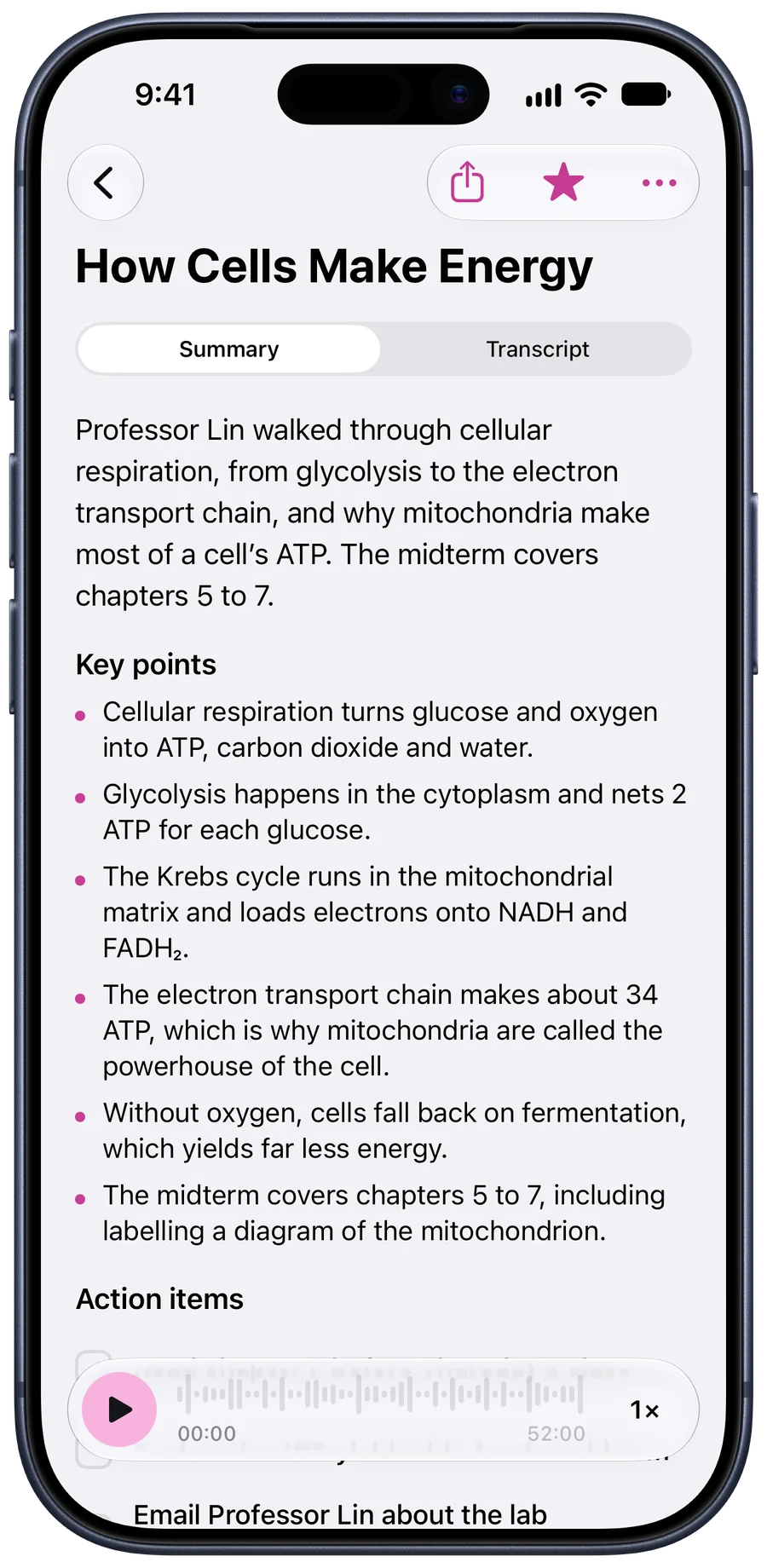
Every word, at the time it was said
The transcript keeps the time of every line. Tap one and the recording plays from there, so “what did she say about fermentation?” takes a search and a tap, not an hour of scrubbing.
Search runs through every lecture you’ve recorded, which is how a term of classes becomes something you can revise from.
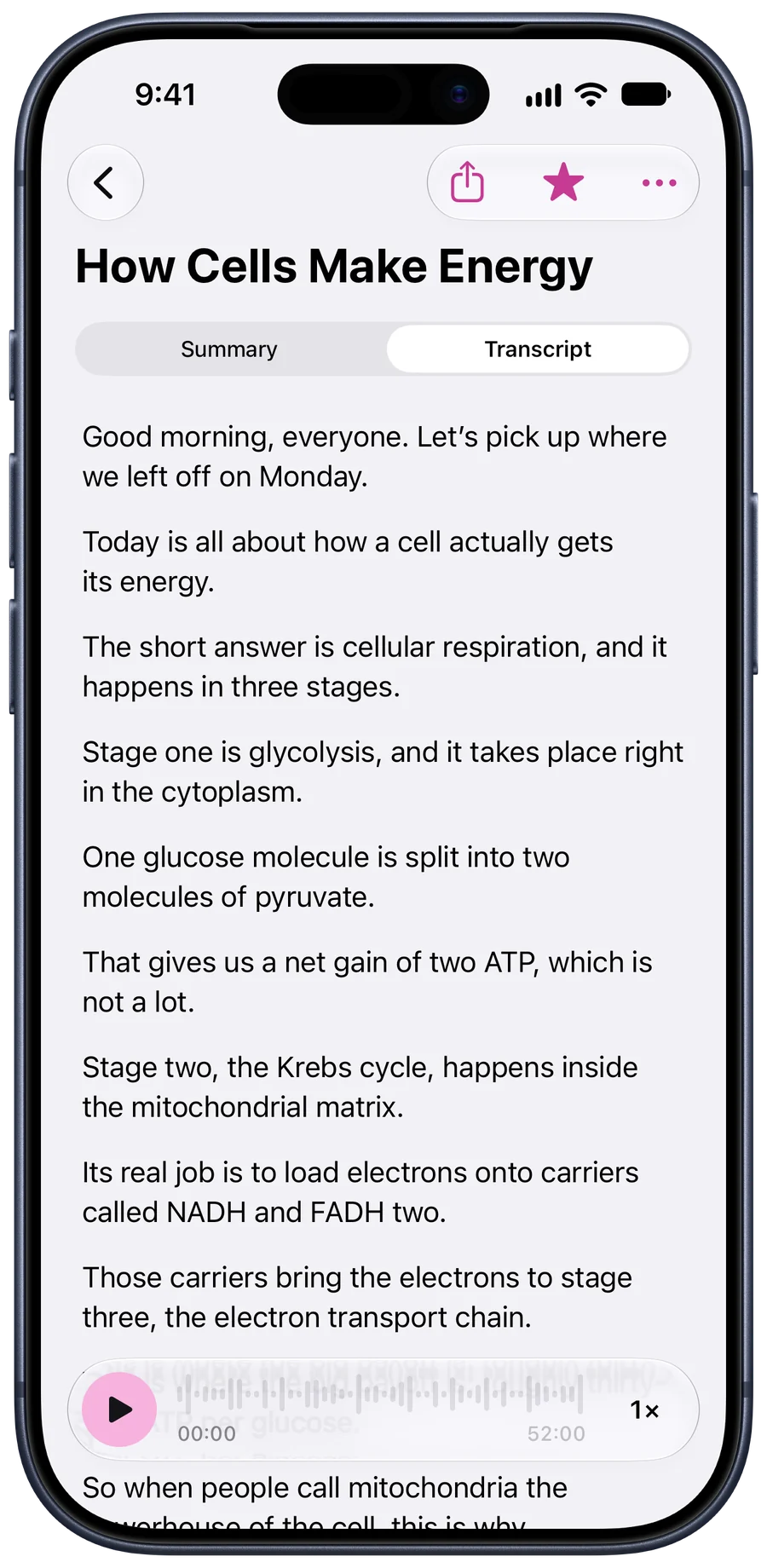
A double lecture, in one go
With Pro a recording runs to 3 hours, and switching apps doesn’t stop it: a stop button waits in the Dynamic Island and on the Lock Screen. Free recordings stop at 30 minutes and are still written down.
Before your first lecture
- Ask. A word with the lecturer, or your disability services office, settles it. Some courses already publish recordings.
- Sit near the front. Your iPhone’s microphone is good, not magic. Three rows back beats thirty.
- Phone flat, face up. On the desk, not in a pocket or a bag.
- Have a connection afterwards. The writing happens on our servers, so a recording made without signal waits on your phone until you’re back online.
- Charge for long days. Hours of back-to-back classes on a low battery can end a recording early.
The longer version: how to record lectures on an iphone.
Questions people ask
What is the best app to record lectures on an iPhone?
One that keeps recording for the whole class and gives you more than the audio. Tapescript records up to 3 hours with Pro, keeps going when you switch apps, and turns the lecture into a transcript, a summary, key points and a list of what to do next.
Can I record a lecture that’s longer than an hour?
Yes. With Pro a single recording can run to 3 hours, and you get 1,200 minutes a month, about 20 hours of classes.
Is it allowed to record a lecture?
Often, but ask first. Many universities have a policy on recording teaching, and disability services can arrange permission if you need recordings. The rules on recording people also differ from country to country.
Will it pick up the lecturer from the back of the room?
It hears what your iPhone’s microphone hears. Sit within a few rows of the speaker if you can and keep the phone flat on the desk. A hall with a speaker system is usually fine from further back.
Does it work for lectures in another language?
Yes, in over 60 languages. Choose the language before you record and the transcript and summary come back in it, in its own script.
Your next class, written down.
Get Tapescript from the App Store. Your first 3 recordings are free, each with its full transcript and summary.
Made for iPhone and iPad. Open this page on your iPhone to get it.
- 3 free recordings
- No account
- Notes in your iCloud
- iOS 18 or later