Tapescript
Videos, turned into text
Your course posts lecture videos. Your team sends screen recordings. Someone filmed the wedding speeches. Tapescript writes down what was said, so you can read a video in two minutes instead of watching it for fifty.

No account to make. Your notes stay in your own iCloud.
Tapescript is made for iPhone and iPad (iOS 18 or later). Open this page on your iPhone to get it.
From Photos, in a few taps
Tap +, then Import Audio or Video, then Photos & Videos, and pick the video. MP4 and MOV files from Files work too, and so does sharing a video to Tapescript from another app.
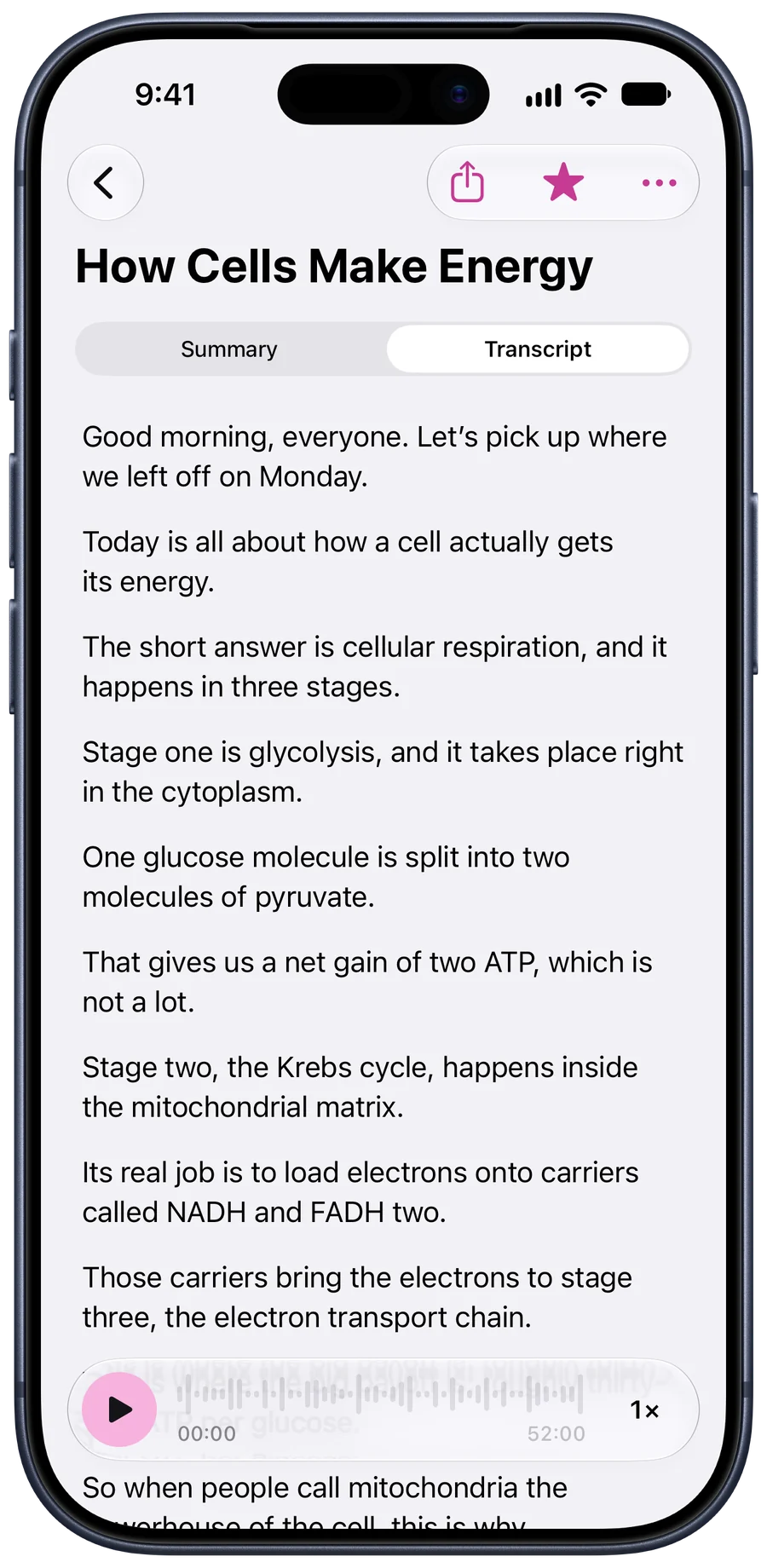
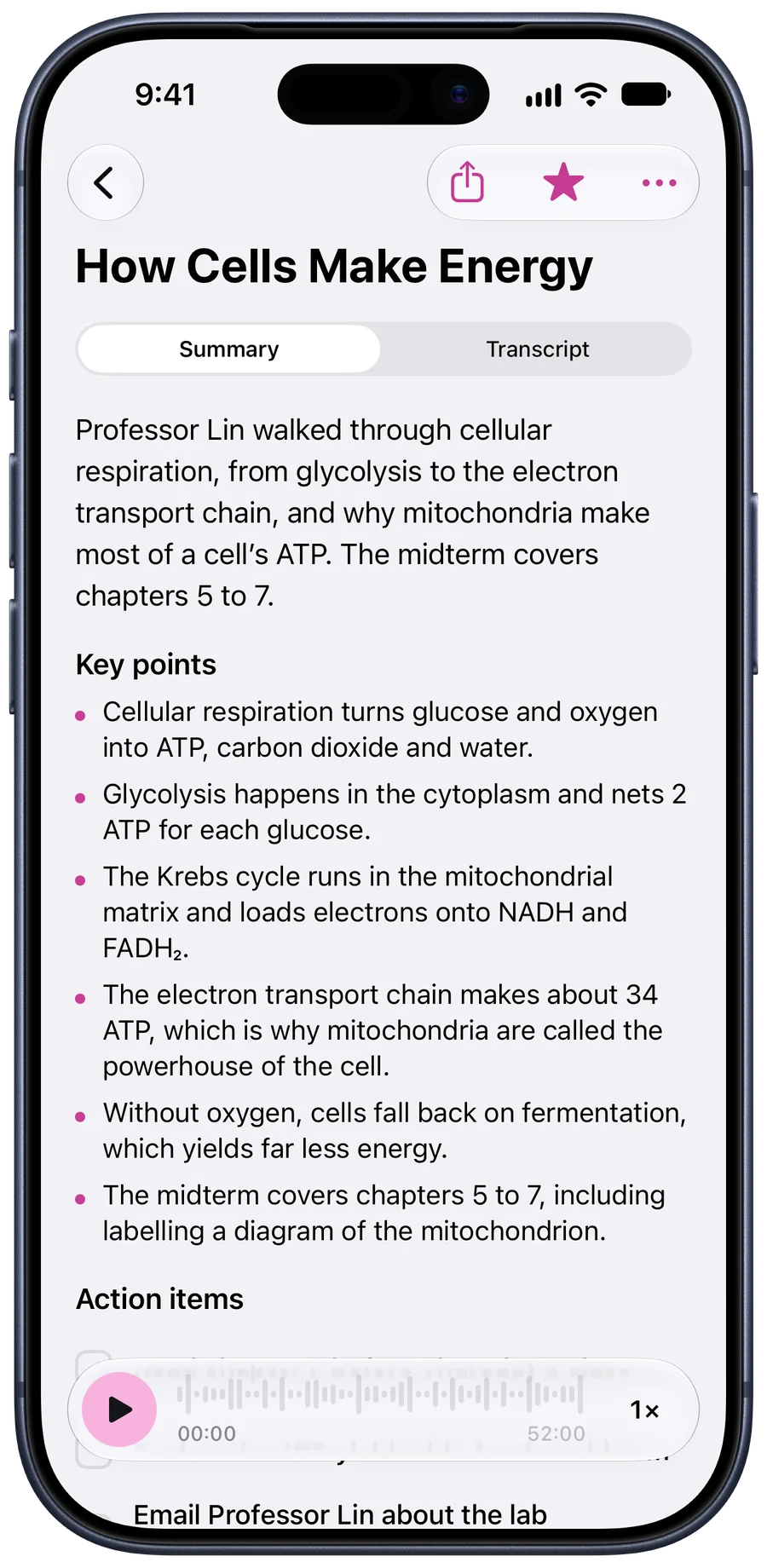
Professor Lin’s 52-minute lecture video comes back as the same note you’d get from sitting in the room: a summary, the key points, and what’s due.
Add audio or video
- FilesMP3, M4A, WAV, MP4, MOV and more
- Photos & VideosPick a video from your library
- Paste a linkA direct link to an audio or video file
You can also share audio or video to Tapescript straight from any app.
The picture stays on your phone
Tapescript takes the soundtrack out of the video on your iPhone and sends only that. The picture is never uploaded, and the sound is discarded once it’s written down.
Which means one thing it can’t do: read what’s on screen. Slides, captions and code in a screen recording only reach the note if someone says them out loud.
How Cells Make Energy
52 min · Today, 08:04
Writing your note. You’ll get an alert when it’s ready.
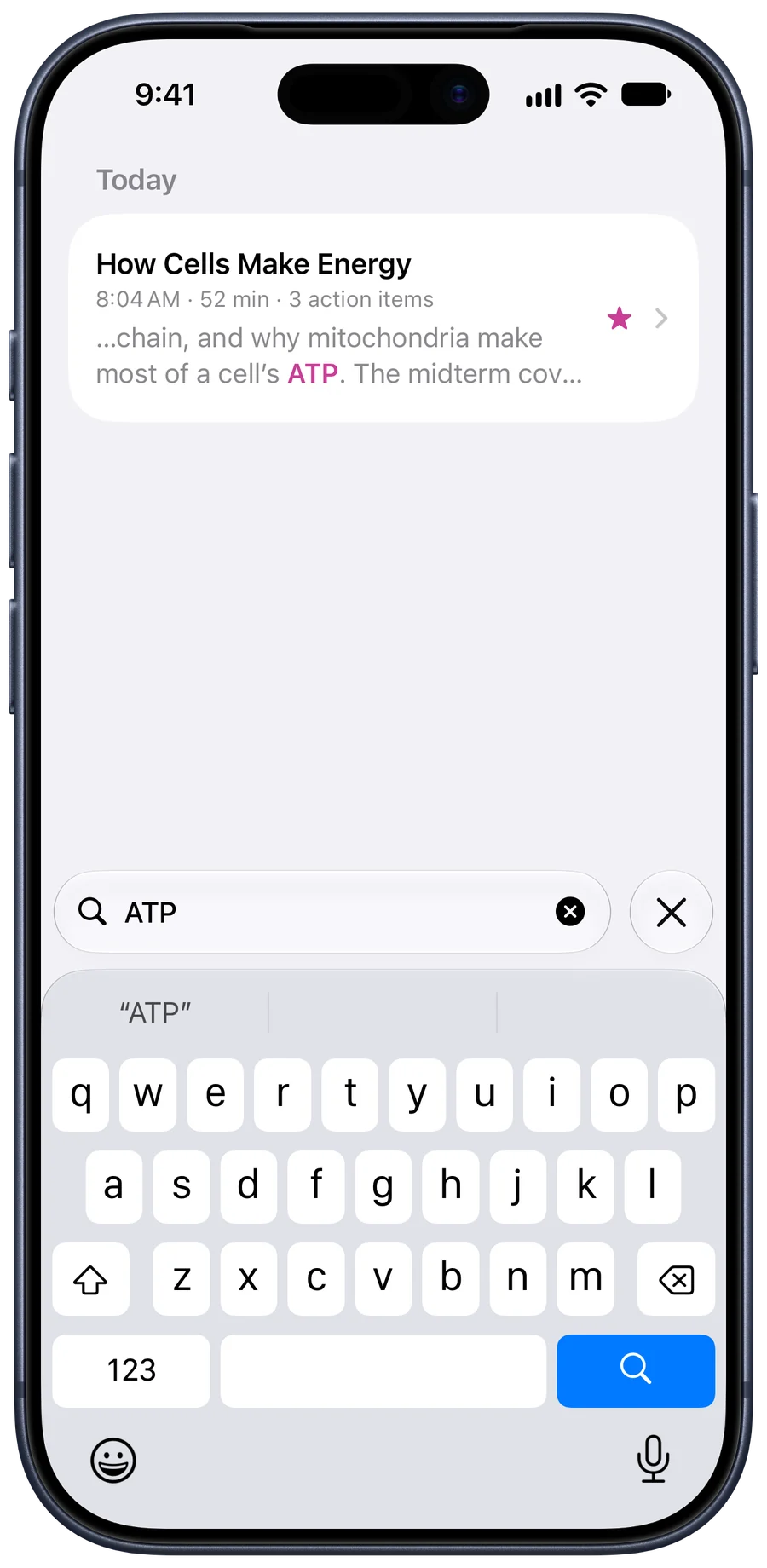
Find the moment without scrubbing
Every video you bring in is searchable by what was said in it. Type the word you remember and the note opens at that line, with its time beside it.
What works best
- Talking, not music. Lectures, interviews, talks and recorded calls come out well. A music video, less so.
- One video, one note. Each import gets its own title and summary.
- Up to three hours. Enough for a full lecture or a long recorded meeting.
- Videos in iCloud. If a video isn’t on your iPhone yet, Photos downloads it first.
The longer version: how to transcribe voice memos on iphone.
Questions people ask
How do I transcribe a video on my iPhone?
In Tapescript, tap +, then Import Audio or Video, and pick the video from Photos or Files. You can also share a video to Tapescript from another app. The transcript, a summary and any action items arrive in a new note.
Can I transcribe a YouTube video?
Not from a YouTube link. Tapescript needs the video file itself, from Photos, Files or an app that can share it.
Does it read text that appears in the video?
No. It writes down what’s said. On-screen text, slides and captions aren’t read.
Is my video uploaded?
No, only its sound, over an encrypted connection, and that’s discarded once it’s written down. The picture never leaves your iPhone.
Can I transcribe a screen recording or a recorded video call?
Yes, if it’s saved as a video or audio file in Photos or Files, and it’s up to 3 hours long.
Your next video, read in minutes.
Put your phone down at your next lecture or meeting, and pick up the notes when it ends.
Made for iPhone and iPad. Open this page on your iPhone to get it.
- No account
- Notes in your iCloud
- Translate into 60+ languages
- iPhone and iPad